Messages - Text Messenger App
- 4.1
- Rating
- 1.00M
- Installs
- Free
- Price

 Analysis by App-foxy
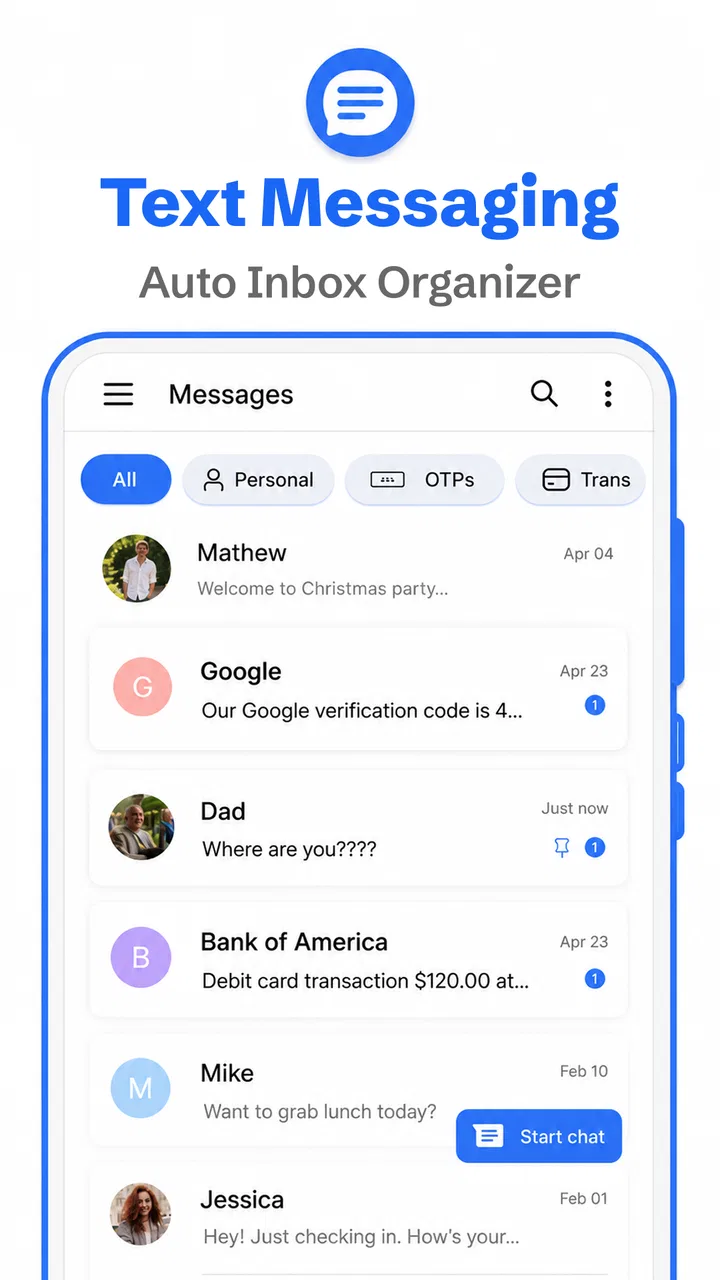
Text Messenger App is the kind of communication tool I notice most when a phone’s default texting experience starts feeling unnecessarily busy. It focuses on SMS, MMS, and ordinary messaging rather than trying to become a complete social network, so its appeal is easy to understand: open the app, find a conversation, write a message, and send it. After spending time with it, I found that its value depends less on flashy extras and more on whether you want a cleaner, more modern front end for everyday texts.
That simplicity is also where the important questions begin. A messaging app sits between you and your mobile network, so a polished interface cannot fix a missing signal, an incorrect SIM configuration, or a carrier problem. My experience with this app is that the first few minutes of setup matter more than they might with a notes or weather app. If the wrong application is handling messages, notifications are disabled, or the phone has not granted the access needed for normal texting, the app can appear unreliable even when the real issue is elsewhere.
Developed by Apps Specials, this free communication app is suitable for Everyone and supports devices running Android 8.0 or later. It has reached over one million installs and holds a 4.1 average from around twelve thousand ratings, which suggests that many people find the basic approach useful while still leaving room for individual differences in phone setup. The current release is version 2.3.30. Optional purchases range from $2.49 to $29.99 per item, so I would check what is offered inside the app before assuming every part of the experience is included at no cost.
You May Also Like

 Blood Strike: 2.5 Anniversary
Blood Strike’s Loadouts Turn Every Drop Into a Tactical Gamble
A close look at Blood Strike’s custom loadouts: how fast access to signature weapons reshapes its battle royale rhythm, rewards preparation, and narrows the gap between fights.

 Pandora - Music & Podcasts
Pandora’s Music Is Easy to Start, but Harder to Recover
Pandora’s strength is its low-effort path from a seed to a station. Its weak spot is how much confidence it asks you to place in connection, setup, and quiet recovery.

 8 Ball Pool
 Is Built on Rivalries, Rematches, and Routine
A close look at the rivalries, rematches, shared routines, and unanswered safety questions that turn a quick pool match into a persistent mobile community.

 Samsung Music
’s Quiet Strength Is Playing What You Already Own
Its reach comes less from spectacle than from dependable access to a personal library. That simplicity is both the app’s strongest retention engine and its ceiling.

 AccuWeather: Weather Radar
AccuWeather Review: A Quick, Clear Forecast for Everyday Decisions
For everyday plans, the best forecast is the one you can understand quickly. AccuWeather makes rain timing, radar, and local conditions easy to act on, with a few trade-offs.

 Hill Climb Racing
Why Hill Climb Racing Still Turns Crashes Into One More Run
A tiny car, a bumpy hill and one more upgrade: Hill Climb Racing keeps resurfacing because its simple chaos makes every near-miss feel personal.
More From Our News Desk



Getting past the first setup obstacles
The most common early stumbling block is deciding whether the app should become the phone’s default SMS application. On Android, only one app normally takes primary responsibility for handling text conversations. If Text Messenger App is installed but another messaging tool remains selected as default, you may still see old conversations elsewhere, receive notifications from the other app, or wonder why sending behaves differently from what you expected.
I recommend checking the default-app setting immediately after opening it. The exact wording can vary by phone manufacturer, but the relevant area is usually found under the system’s Apps settings and then Default apps. Selecting this app there gives it a clear role. If you later switch back, do it deliberately rather than leaving two messaging apps competing for attention.
Another useful check is the SIM and network arrangement. A phone with two SIMs may ask which line should send messages, and that choice can affect whether a text leaves successfully. Before blaming the interface, I would confirm that the intended SIM is active, has service, and is selected for messaging. This is especially important when one line is used for calls and another for data, because messaging behavior can differ from what you expect from the phone’s general internet connection.
Notifications deserve a separate look. If messages arrive but you do not see an alert, open the app’s notification settings in Android and make sure alerts are allowed. Also check whether the phone is using a quiet mode, battery-saving rule, or conversation-specific mute setting. A missing notification is not the same as a failed message, and separating those two problems saves a lot of unnecessary troubleshooting.
The best setup habit is to test one ordinary text before moving your whole routine over. Send a short message to a trusted contact, wait for the reply, and confirm that both the conversation and its notification behave properly. Then test a picture only if you regularly use MMS. This small sequence checks the parts that matter without creating confusion across several old conversations at once.
What to check before judging message delivery
SMS and MMS are not identical. A plain text may work while a picture fails because MMS depends on carrier configuration and mobile connectivity. If a photo remains stuck, I would first confirm that mobile data is enabled, even if Wi-Fi is connected, because some carriers handle MMS through the cellular network. I would also try a smaller image and make sure the recipient’s number is correct. These are practical checks, not signs that the interface itself is broken.
Group conversations can create another point of confusion. Depending on the carrier and the participants’ devices, a group may behave as a multimedia message rather than several separate texts. If a group reply does not arrive as expected, check whether mobile data is active and whether the conversation is being treated as MMS. The app can present the thread, but the carrier still controls much of what happens after you press send.
When a message is marked as pending, I avoid repeatedly tapping the send button. That can create duplicates once the connection returns. Instead, I check signal strength, airplane mode, the selected SIM, and the message recipient. If the issue continues, closing and reopening the app can refresh the conversation view, but I would not erase the thread as a first response. Keeping the original message visible makes it easier to tell whether it eventually went through.
People also ask whether installing this app automatically transfers every conversation. I would not treat installation as a complete migration plan. The safest approach is to make it the default handler, open the conversation list, and verify that the threads you care about appear before removing another messaging app. If something looks missing, keep the previous app installed while checking the phone’s message storage and default-app selection. That cautious overlap is more useful than assuming every device presents stored conversations in exactly the same way.
A smoother daily workflow for SMS and MMS
Once the basics are working, the app is most comfortable when used as a focused inbox rather than a replacement for every communication service. I use it for people who still prefer phone-number messaging, delivery updates, appointment reminders, and short exchanges where a full chat platform would be unnecessary. Its modern presentation makes those conversations easier to approach than an old-fashioned, cluttered text screen, while retaining the familiar SMS and MMS model.
A realistic example is a busy morning when I need to confirm a pickup time, send a location as a picture, and reply to a family group. I would handle the simple confirmation first, then check the image before sending because MMS is more sensitive to mobile connectivity. For the group, I would avoid assuming that everyone sees the same thread in the same way. If one person reports missing replies, I would look at the network and group-message behavior rather than immediately rewriting the conversation or sending repeated copies.
That workflow points to one of the app’s practical strengths: it does not require the recipient to install the same service just to receive a normal text. Compared with internet-based messengers, SMS is often more universal for contacts who use different phones, accounts, or communication habits. The trade-off is that SMS and MMS generally offer fewer modern chat conveniences than dedicated internet messengers, so people who rely on rich media, synchronized conversations across many devices, or advanced group features may prefer another category entirely.
I also find it helpful to keep the app’s role narrow. Use it for phone-number conversations, and use an internet messenger when you need that service’s particular tools. Mixing both types of communication in your head can make a failed message difficult to diagnose. A text that cannot send because of carrier service is a different problem from a chat message that cannot send because of an account or internet connection.
Recovering a stuck or confusing conversation
When a thread behaves strangely, I work from the least disruptive fix to the most disruptive. First, I check whether the recipient’s number is formatted correctly and whether the phone has service. Next, I confirm the selected SIM and notification state. Then I restart the app, and if necessary restart the phone. These steps preserve the conversation and often reveal whether the problem was temporary.
If only one contact is affected, compare that conversation with a test message to someone else. A successful test elsewhere suggests that the problem may involve the recipient’s number, carrier, blocked status, or the specific type of content being sent. If every message fails, the phone’s network registration, SIM, account, or carrier service becomes more likely than a single damaged thread.
For a picture or group message, I would avoid changing several settings at once. Turn on mobile data if it is off, wait briefly, and try again. If that does not help, check the carrier’s messaging configuration or contact the carrier. The app provides the interface, but it cannot independently repair carrier-side MMS settings. This distinction is important because repeatedly reinstalling a messaging app rarely solves a network provisioning problem.
There is also a difference between a message that fails and one that appears late. Delayed alerts may come from notification controls or battery restrictions, while a failed send is more likely tied to connectivity, SIM selection, or carrier service. Looking at the conversation itself can help: if the message is visible in the thread, the app may have recorded your action even though the notification or delivery response is delayed.
I would be careful with clearing storage or uninstalling during recovery. Those actions can remove local app state and make it harder to understand what happened. If you must reset anything, start with closing the app and checking system settings. Keep important information elsewhere before making a major change, especially if a conversation contains an address, appointment detail, or other message you may need later.
When the app is not the cause
Text Messenger App can make messaging easier to manage, but it does not control the entire path between your phone and another person. A weak cellular signal, an inactive SIM, an unpaid or restricted mobile account, carrier maintenance, or a recipient’s unavailable number can all look like an app failure. This is why a quick test to a different contact is so valuable: it narrows the problem without guessing.
Wi-Fi can also mislead people. Browsing the web successfully proves that the phone has internet access, but it does not guarantee that SMS is available. Traditional texts use the mobile network, and MMS may follow carrier-specific rules even when the phone is connected to a strong wireless network. If ordinary texts fail while internet apps work, I would investigate cellular service and SIM settings first.
Phone-level restrictions are another source of friction. Battery optimization may delay alerts, a focus mode may hide them, and a manufacturer’s security layer may restrict background activity. These settings differ across Android devices, so I would look for the app’s notification, battery, and background-use controls in system settings instead of assuming every phone presents the same menus.
Privacy-conscious users should also think about the difference between a simple SMS interface and an end-to-end encrypted chat service. A conventional texting app is convenient for carrier messaging, but it should not be chosen merely because it looks modern if your main requirement is a specific security model or cross-device chat history. In that situation, a dedicated secure messenger may be a better fit, provided your contacts use it too.
Likewise, people who need extensive message organization should set realistic expectations. If your routine depends on sophisticated search, desktop synchronization, automatic cloud history, or elaborate group collaboration, a more specialized messaging platform may suit you better. Text Messenger App makes sense when the center of your communication is straightforward SMS and MMS, not when you want a full productivity system built around conversations.
Who should use it and who should skip it?
I would recommend it to someone who wants a fresh-feeling interface for normal phone-number messaging, especially if the current default app feels dated or difficult to scan. It is also a sensible option for households where not everyone uses the same internet messenger. The Everyone age rating and support for Android 8.0 or later make it accessible across a broad range of Android phones, though the actual experience can still vary with the phone maker and carrier.
I would be more cautious if you already have a default messaging app that handles SMS, MMS, notifications, and group conversations exactly as you need. Switching creates setup work, and the visual change alone may not justify becoming familiar with another interface. I would also skip it as a primary choice if your communication is mostly encrypted internet chat, large media sharing, or multi-device messaging.
The free price makes trying it straightforward, but optional purchases mean I would review any upgrade screen carefully. A free installation does not necessarily mean every customization or convenience is included without charge. I would only pay for something after deciding that the app’s basic workflow already fits my needs, rather than using a purchase to solve a network or notification problem.
Its reception is encouraging without being a guarantee. Around twelve thousand ratings and a 4.1 average show that the app has a meaningful user base, while the varied hardware, Android versions, SIM arrangements, and carriers behind those ratings explain why your result may differ. I treat that combination as a reason to test it with a few normal conversations instead of changing my entire messaging setup immediately.
My practical verdict after using it
Text Messenger App succeeds when I judge it for what it is: a focused SMS, MMS, and messaging interface that aims to make everyday texting feel less dated. I like the directness, and I appreciate that the app can serve contacts who are not on the same chat platform. Its strongest benefit is not a dramatic new communication method; it is the possibility of a more comfortable routine for ordinary phone-number conversations.
The main friction comes from everything surrounding the interface. Default-app selection, notification permissions, dual-SIM choices, mobile data, and carrier behavior can all affect the result. Once I separate those system and network issues from the app itself, troubleshooting becomes much more manageable. My advice is to test one text and one picture, confirm alerts, and keep the previous messaging app available until the important conversations are visible and working.
For a friend who wants a cleaner Android texting experience without asking every contact to join a new service, I would suggest giving it a careful trial. I would not present it as a universal replacement for encrypted chat apps or advanced multi-device platforms. Its best use is simple, dependable phone-number messaging when you are willing to complete the Android and carrier checks that make that experience possible.
FAQs for Messages - Text Messenger App
01What features does the Messages - Text Messenger App offer?
The Messages - Text Messenger App provides a range of features including SMS and MMS support, customizable themes, group messaging, and multimedia sharing. It also offers a user-friendly interface with quick reply options and supports end-to-end encryption for secure communication. The app integrates seamlessly with your contacts and offers backup options for message history.
02Is the Messages - Text Messenger App secure?
Yes, the Messages - Text Messenger App prioritizes user security by offering end-to-end encryption for your messages. This ensures that only you and the intended recipient can read the messages. The app also regularly updates its security protocols to protect against potential threats and unauthorized access.
03Does the Messages - Text Messenger App support multimedia sharing?
Absolutely, the Messages - Text Messenger App supports sharing various types of multimedia content. You can send and receive photos, videos, voice messages, and documents with ease. The app compresses files efficiently to maintain quality while ensuring faster transmission, making it a convenient tool for multimedia communication.
04Can I customize the appearance of the Messages - Text Messenger App?
Yes, you can personalize your experience with the Messages - Text Messenger App by selecting from a variety of themes and color schemes. The app allows customization of chat backgrounds, font styles, and notification settings, providing a tailored experience that suits your preferences and enhances usability.
05Is the Messages - Text Messenger App available for both Android and iOS?
The Messages - Text Messenger App is designed to be compatible with both Android and iOS platforms. It ensures a consistent user experience across devices, allowing seamless communication regardless of your operating system. You can download it from the Google Play Store or the Apple App Store, depending on your device.
Pros
- User-friendly interface for easy navigation.
- Supports multimedia messages seamlessly.
- Customizable themes and chat colors.
- Group chat feature with easy management.
- Fast and reliable message delivery.
Cons
- Contains ads that can be intrusive.
- Lacks end-to-end encryption.
- Limited integration with other apps.
- No option for scheduled messages.
- Frequent notifications can be overwhelming.

Messages - Text Messenger App
Gallery